I just wanted my avatar to wear shoes.
The real shoe-fitting saga: failed overlays, SAM 3, local Qwen, and the cloud-to-Mac pipeline that finally made a tiny pair of sneakers look worn.
An implementation snapshot of Luvu’s beta and latest development work. Availability can differ by app build. The article includes current capabilities, tradeoffs and remaining limits.
In this article
Put these shoes on that little guy.
I wanted my cartoon avatar to wear a pair of blue sneakers. That was the feature.
Luvu is the little iPhone world I’m building for my wife and me. We already had AI-generated avatars, expressions, hair recoloring, and a separate Asset Studio where I could create accessories with a local Qwen image model and publish them to a cloud catalog. Custom glasses worked. Earrings worked. A birthday message on my glasses worked.
So, naturally, shoes should be easy.
Dear lord.
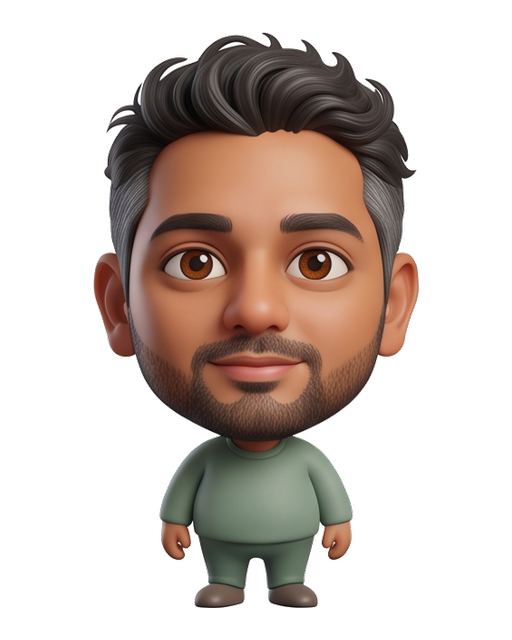
My existing avatar. Keep the character.
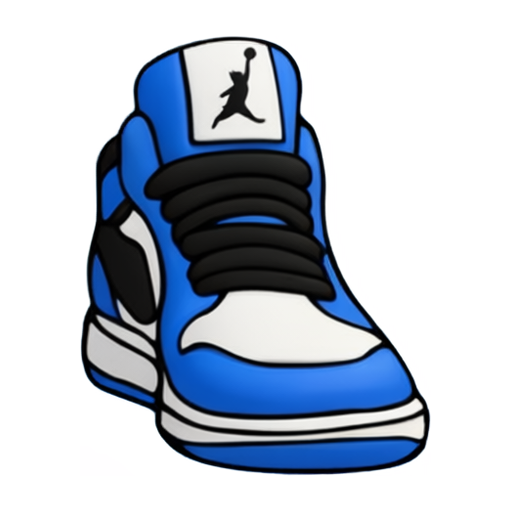
The Studio sneaker. Make it look worn.
What followed involved segmentation, image synthesis, alpha compositing, expression registration, immutable asset manifests, Google Cloud, Cloudflare, and an M4 Max MacBook Pro doing inference at home. All because a tiny person needed better footwear.
The useful part of this story is where each seemingly sensible solution stopped working—and why the eventual answer required giving three different components three very different jobs.
A shoe has a relationship with a leg.
A shirt sticker can often be an overlay: position it, scale it, composite it over the shirt. Shoes are less cooperative. The original avatar is a finished image. Its brown shoes are already painted into the same artwork as the trousers, hands, face, and hair. There is no convenient “remove footwear” layer waiting underneath.
Replacing them means answering several questions at once. Which pixels belong to the old shoe? Where does the trouser cuff end? Which parts of the new shoe sit behind the ankle, and which sit in front? What perspective should each foot have? Where is the ground?
A transparent PNG contains none of those relationships. A bounding box gives you a rectangle. The person wearing the shoe is unfortunately not a rectangle.
Attempt one: let the user erase the old shoes.
We built a manual removal flow. It asked the person to mark the footwear before applying its replacement. In theory, this offered control. In practice, I was trying to dress my avatar and had been promoted to junior roto artist. Even the undo behavior was frustrating.
I rejected that flow. A feature can be technically possible and still be a terrible thing to ask a person to do. “Draw a careful mask around your ankles” was not the Luvu experience I had in mind.
Choose a shoe. See it on your avatar. Decide whether you like it. The implementation had to absorb the complexity that the interface was handing to the user.
We found the shoes. We had not fitted them.
We tried Meta’s SAM 3 locally. Its text-prompted segmentation let us ask for shoes and get masks for the existing footwear. A separate trousers pass supplied the neighboring fabric region. No brush strokes, manually placed points, or hard-coded coordinates for my particular avatar.
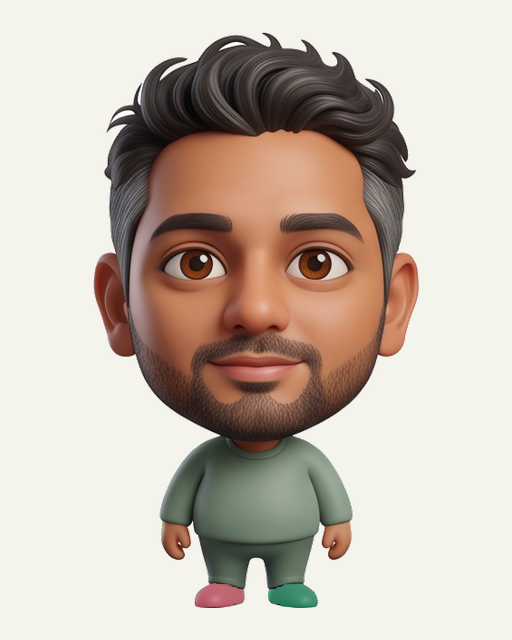
Two masks.
No paintbrush.
The colored regions are detected footwear. This solves selection. It does not tell us how a different sneaker should wrap around these ankles.
The initial exploration used an MLX conversion; after access was approved, we also ran the official weights with PyTorch on Apple’s MPS backend. The official-weight test found both shoes on all six neutral avatars in that small sample, and the subsequent replacement experiment covered 25 expression images across three avatars. That was encouraging evidence for selection—not a benchmark proving universal accuracy.
Now we could remove the old footwear automatically, fit the catalog PNG into the detected foot regions, and let the original trousers sit in front.
It worked. Sort of.
First we hid the shoes. Then we hid the legs.
With the trousers in front, the upper part of the sneaker disappeared. Including the tongue label—the very detail I wanted to show. I had generated a recognizable high-top and somehow shipped a blue toe.
So we moved the shoe in front of the trousers.
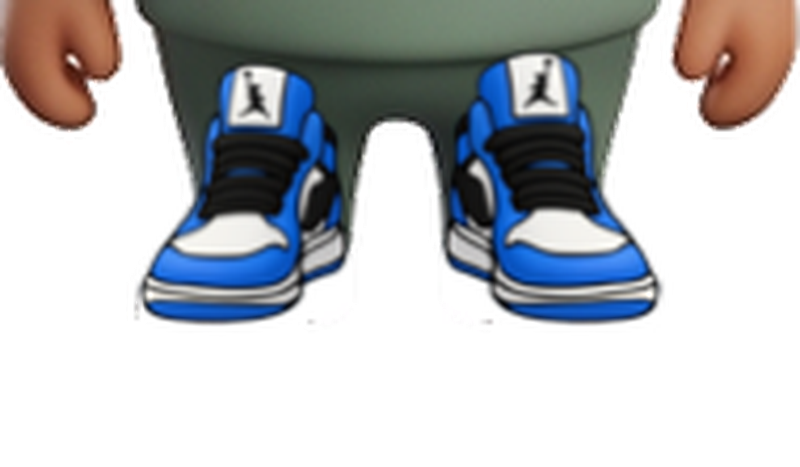
The label was now extremely visible. The entire shoe was extremely visible. It looked like someone had attached two sneakers to the front of my shins.
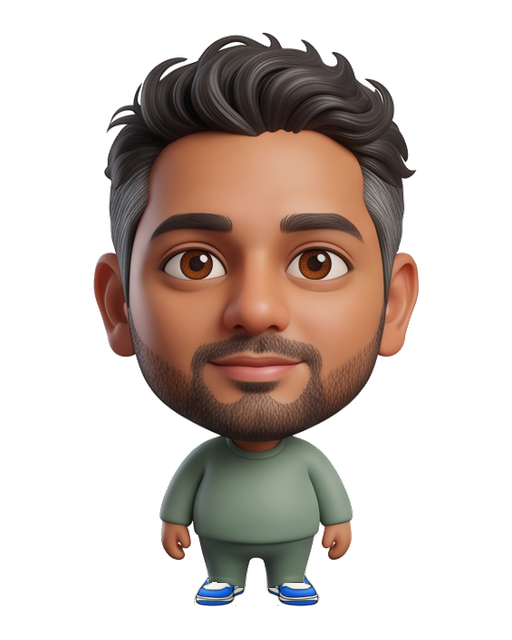
Natural coverage, missing the design.
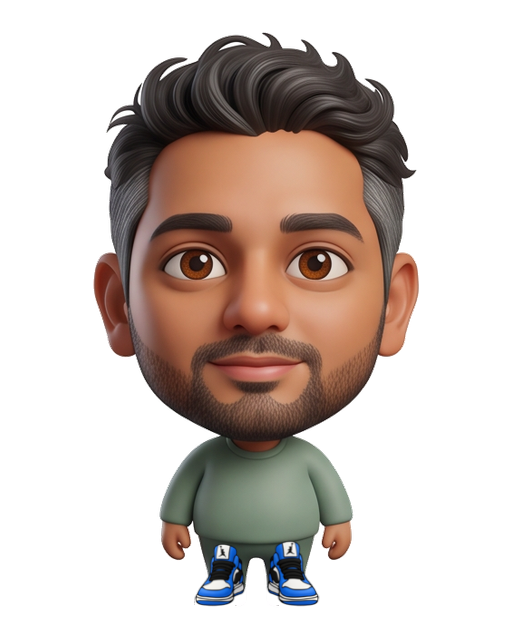
Visible design, deeply questionable anatomy.
My feedback at this point was: “It doesn’t look the person is actually wearing it.” That was the bug. It wasn’t a missing slider or a slightly incorrect offset.
A worn high-top has mixed occlusion: the rear collar can be behind the ankle, the tongue can sit in front of the cuff, and fabric can overlap the sides. A single image placed entirely above or entirely below another image cannot express all of that. Mirroring one shoe for the other foot also mirrors its lettering and asymmetry; it does not invent the appropriate opposing perspective.
We were asking a compositor to infer missing geometry and material relationships. It was doing exactly what we told it. That was the problem.
Give Qwen the character and the shoe.
The breakthrough was to use the Studio image as a design reference for a fitted rendition. SAM would tell us where the intervention belonged. Qwen would reconstruct how the shoe should look on this particular character.
We sent the local Qwen Image 2.1 runtime two visual references: a lower-body crop of the original avatar and the actual Studio sneaker. The instructions described the relationship we needed: matching left and right shoes, proportionate feet, soles at the existing ground height, a rear collar behind the ankles, a short visible tongue, believable cuff overlap, and subtle contact shading.
“Do not extend the shoe up to the knees” made it into the prompt. Experience is a wonderful teacher.
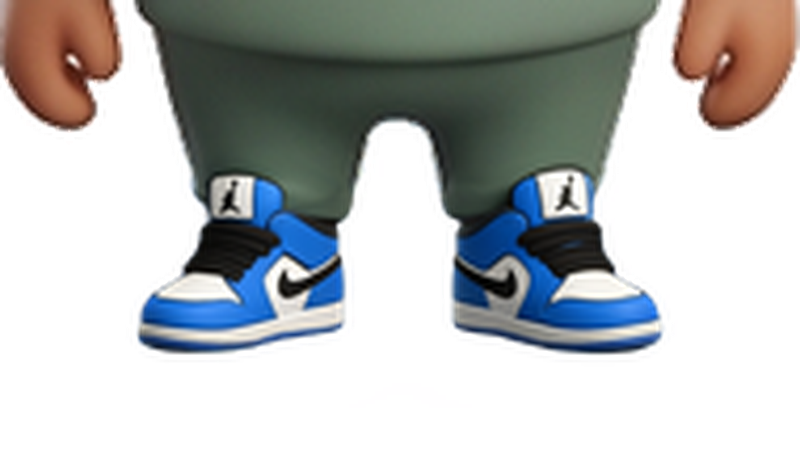
The first successful local run took about 217 seconds on my M4 Max. It used a 768-pixel square generation canvas, 25 Euler/simple steps, CFG 1, and a recorded seed. This was actual local inference through the pinned ComfyUI Qwen Image 2.1 package, not a manually retouched mockup.
The shoes finally looked like something the little guy had put on.
“BRO THOSE IMAGES LOOK PERFECT! lol”
That was my actual reaction to the demo. A completely reasonable response after spending this much time thinking about cartoon ankles.
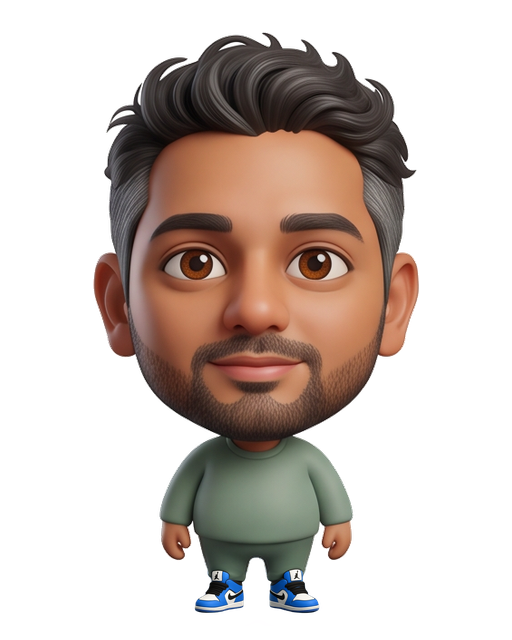
“Please preserve the face” is not a guarantee.
We do not trust a prompt to preserve unrelated pixels. The generated crop is candidate material, not permission to replace the whole avatar.
SAM’s shoe bounds determine the lower-body context crop. We expand the footwear region enough to allow a new silhouette and include a short section of the detected trouser cuffs. The final edit boundary is softened at its edges. The crop provides context; the mask determines which output pixels may actually change.
Three jobs · three distinct responsibilities
The segmentation mask constrains final composition. It is not passed into this workflow as a diffusion inpainting mask.
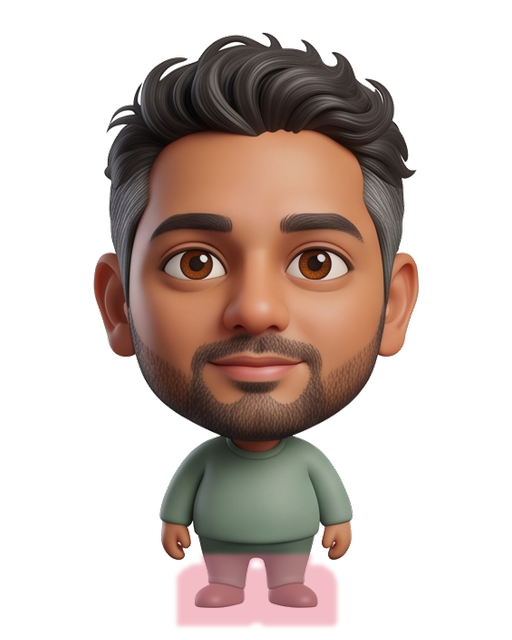
Both source files remained unchanged. The rose area is the permitted boundary, not the set of pixels that necessarily changed.
The integrated service returns an unblended patch plus a mask. The app validates source and accessory hashes, pipeline version, image dimensions, byte budgets, and mask bounds. The current policy rejects masks that touch the upper 55% of the canvas or cover more than 30% of it. Those are explicit guardrails for the supported standing-avatar layout, not an anatomical model for arbitrary poses.
The compositor blends the permitted region once, using premultiplied color and alpha. At zero mask weight it retains the original pixels. Within the region, transparent replacement pixels can remove old footwear. An ordinary “draw the new PNG over the old PNG” operation would leave the old shoe visible wherever the new one is transparent.
// Conceptual: all four channels are premultiplied RGBA.
if maskWeight == 0 {
    output = original
} else {
    output = original * (1 - maskWeight)
           + generatedPatch * maskWeight
}
Returning a raw patch also avoids applying the same soft mask twice, which can leave halos or remnants around the silhouette. Visual review on light and dark backgrounds still matters: hash correctness does not establish that a shoe looks good.
And Qwen is synthesizing a rendition. It can reinterpret logos, lettering, and design details. A second SAM pass finding two shoes is a useful sanity check, not a fashion critic. The person still gets the final decision.
One catalog shoe. A fit for this avatar.
Publishing an accessory and fitting it are different operations. Studio creates the reusable design. The avatar editor creates a private derivative for a particular character. Mixing these would put personal artwork into a public catalog or force everyone to wear the same badly aligned pixels.
The pipeline from creator to wearer
The phone downloads and verifies the selected package ↓
The public LuvuAssetManifest remains the design contract. Existing published shoe designs can select the new fitting path without being republished. Arbitrary text in a downloaded manifest cannot expand the fitting service’s fixed edit policy.
Locally, OriginalAvatarArtworkEdit version 5 records a fittedFootwear reference and verified fittedFrames. The reference pins the original neutral image hash, asset ID and version, manifest hash, design image hash, job ID, and pipeline version. An old result for a different avatar or revised design must not silently become the current fit.
The render order stays deliberate: immutable original artwork, accepted fitted base, hair recoloring, then ordinary overlay accessories. Changing hair color should not remove the shoes. Reopening a saved look should not contact a model. Removing the fit should recover the original footwear.
For expressions, the app’s existing image-registration machinery transfers the footwear patch and mask into each existing expression frame. It preserves the original face instead of asking Qwen to recreate eight versions of the same person. Saved output still has the normal AvatarAssetManifest expression entries, so the renderer consumes ordinary artwork.
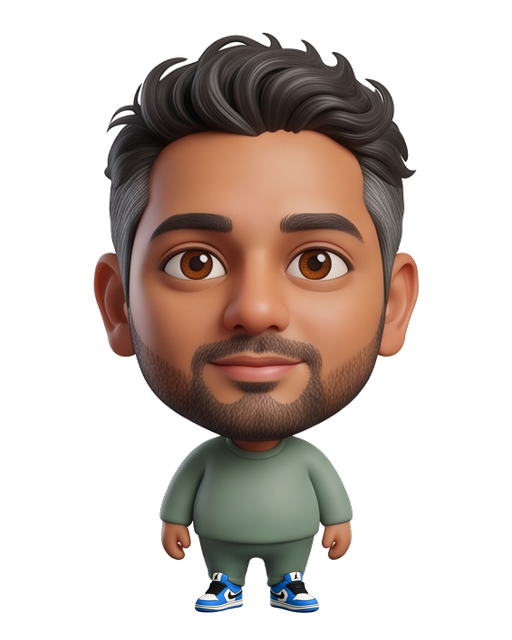
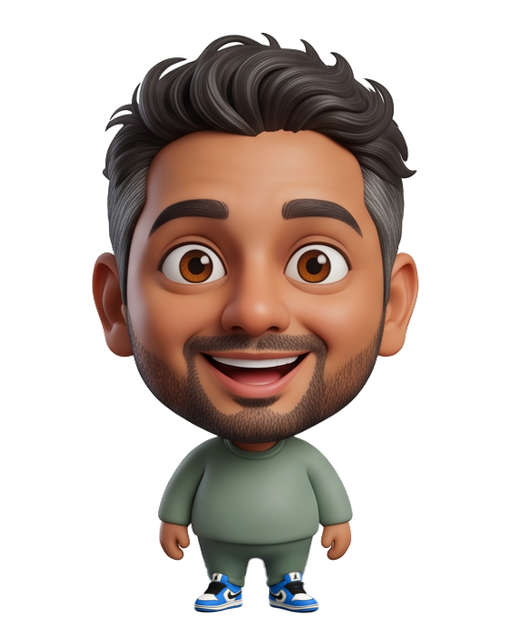
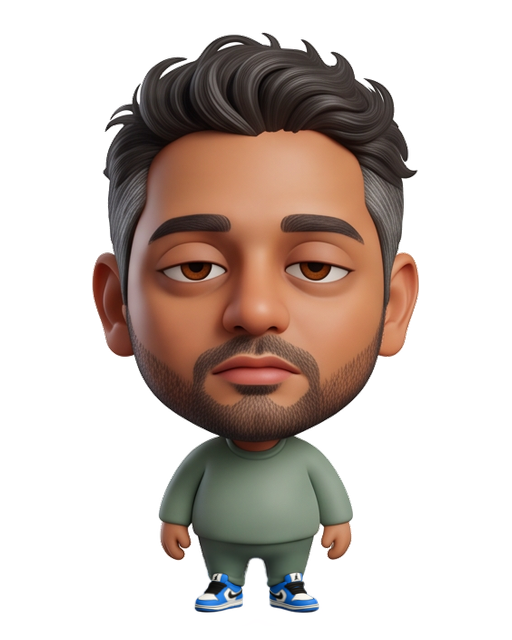
An iPhone, Google Cloud, Cloudflare, and my Mac.
The good-looking demo ran locally. The next question was obvious: how does selecting a shoe on an actual iPhone reach that pipeline?
We kept account ownership and durable coordination in Luvu’s existing Google Cloud backend. The expensive model work runs on my M4 Max with 48 GB of unified memory, reached through a dedicated Cloudflare Tunnel. The phone talks to the normal authenticated API; it does not know my laptop’s address or receive a machine credential.
Request and result path
HTTPS / account authentication ↓ ↑ Private result
Cloud Tasks → IAM-protected Cloud Run worker
Short-lived, request-bound machine JWT ↓ ↑ Patch + mask
Cloudflare Tunnel supplies outbound connectivity from the Mac without opening an inbound router port. It does not magically authorize fitting requests. We add short-lived machine JWTs bound to the HTTP method, path, and request-body hash. The secret lives server-side and in an owner-only local file—not in the app, Studio browser code, or catalog.
Cloud Tasks and the private Cloud Run worker keep the operation independent of one phone connection. Firestore records the owner and job state. Private Cloud Storage holds inputs and results. The backend independently checks the published design rather than trusting a client to declare any uploaded image “the catalog shoe.”
On the Mac, SAM runs as a separate process that exits before the Qwen fitting stage, releasing its model allocations. Qwen uses the separately installed ComfyUI runtime. LaunchAgents keep the fitting origin and tunnel available; Qwen must also be running. Nothing about installing the app installs Python, SAM, or Qwen on the phone.
This avoids renting a continuously running cloud GPU for our current beta. It does not make inference instant or infrastructure free. The honest availability diagram includes a laptop that must be awake, online, and ready. If I close the lid and leave, I have effectively taken the tiny shoe workshop on vacation.
Retrying a request should not manufacture another pair.
A beautiful output is one milestone. Surviving a lost connection halfway through producing it is another.
A fit has a content-based identity derived from the source image, design bytes, catalog manifest and version, and fitting pipeline version. Identical concurrent submissions for the same account reuse work. The cloud worker submits a stable job ID to the Mac, so a lost response does not become an excuse to start another inference.
queued → segmenting → fitting → checking → ready
                     ↘ failed / cancelled

ready → user reviews → keep or discard
                     → save accepted frames locally
“Ready” means a candidate is available. It does not mean the person has accepted it. Failed or discarded candidates do not become their avatar.
Cancellation and deletion leave tombstones so a delayed task cannot recreate a withdrawn job. Account deletion blocks new reservations and schedules removal of private copies, including cleanup on the Mac after it reconnects. Inputs are removed after completion; cloud results have a seven-day retention window. Accepted on-device derivatives follow the local avatar retention policy.
Quotas and concurrency limits bound the work. If the Mac is unavailable, new fitting is unavailable too; saved avatars still render. This is a durable cloud gateway to a single inference machine, not a highly available GPU fleet. Keeping that distinction visible is much healthier than calling a tunnel “autoscaling.”
| What we checked | Why it matters |
|---|---|
| Wrong source, design, or result hash; invalid dimensions; escaped edit boundary | A valid response must belong to this exact fit and stay within its permitted region. |
| Duplicate dispatch, lost responses, cancellation, account deletion races | Network uncertainty must not create extra inference or resurrect withdrawn artwork. |
| Review, discard, retry, accept, recolor, save, relaunch, remove | The result must work through the editor’s real lifecycle, not just in a comparison image. |
| Existing expressions and unchanged original files | New shoes must not cost the avatar its face, feelings, or recoverable original. |
| Release bundle inspection | Studio, model runtimes, and development credentials stay outside the iOS application. |
The cloud integration test went from an iPhone SE simulator through Google Cloud, Cloudflare, and the Mac, then through review, cached retry, saving a hair recolor, and reopening. That complete test took 358 seconds. The 217-second figure earlier was one generation; these measure different scopes, and neither is a latency promise.
Ordinary automated tests use fixtures or mocks. Real model inference is an explicit integration check. Otherwise every test run becomes a surprisingly elaborate way to heat a MacBook.
Choose. Try. Keep.
The creator designs a shoe in Studio, revises it, reviews the package, and presses Publish. The wearer opens the app’s collection, chooses it, waits for fitting, checks the preview, and keeps or discards the result. Once saved, the avatar opens normally—even when the inference machine is unavailable.
There is no ankle-erasing homework.
We are not claiming arbitrary virtual try-on is solved. Unusual poses, long skirts, boots, extreme proportions, and exact logo reproduction need more evaluation. The current fitting pipeline supports shoes. Watches, hairstyles, and other replacements may benefit from the same separation of responsibilities, but each needs its own boundaries and evidence. Independent leg animation is another problem we deliberately postponed.
The lesson I’m taking forward is practical: use segmentation to find the intervention, generation to propose the missing visual relationship, deterministic code to restrict changes, and the person’s preview to decide whether the result is worth keeping.
Every failed attempt helped expose which responsibility we had assigned to the wrong component. The brush put too much work on the person. Layer order put too much intelligence into a PNG. A prompt alone would put too much trust in the model.
The shoes were small.
The lesson wasn’t.
The final interface asks the person one useful question: do you like how these look on you? Everything else is our problem.
And yes, the tiny guy finally has his sneakers.
Build notes & further reading
Written from the retained experiments and implementation at revision aeed8d7, September 22, 2026. The selected avatar images are mine and are published here to document the work. Existing experiment outputs were reused; no new image generation was performed for this article. Code paths below identify implementation areas, not public downloads of private fixtures.
| Area | Implementation record |
|---|---|
| Segmentation and failed replacement studies | tools/sam3-poc/RESULTS.md |
| First successful Qwen fitting and preservation audit | tools/sam3-poc/FITTING_DEMO.md |
| Integrated local inference pipeline | tools/avatar-fitting/ |
| Ownership, catalog checks, cloud jobs, and machine authentication | server/src/fitting/ |
| Native composition, edit persistence, and expression transfer | Sources/LuvuCore/AvatarCreator/OriginalAvatarFitting.swiftOriginalAvatarArtworkEdit.swiftOriginalAvatarExpressionRegistration.swift |
| Studio publishing and asset contract | tools/asset-studio/shared/avatar-schema/ |
For the surrounding app, renderer, publishing, account, and relationship systems, read The architecture behind a little world for two. The model and infrastructure links in this article point to their respective maintainers’ documentation.